The Ultimate Guide to 3D Printing for Fashion Companies
A practical guide for fashion and textile SMEs interested in 3D printing: definitions, materials, use cases, costs, skills, pitfalls and adoption steps, with insights from real research on 3D printing in TCLF.
Why 3D printing matters for fashion SMEs
Using 3D printing may sound like your collection should be full of futuristic dresses, robotic parts and expensive machines humming away in spotless labs. But for most fashion companies, especially small brands, designers, and entrepreneurs, the real starting point is much simpler. A button. Or perhaps a buckle or a nice trim. For the brave ones it might mean a leather embossing stamp. All of these are small details that give a jacket, bag, shoe, or capsule collection a little spark. A sense of freedom and uniqueness. And indeed, based on our latest insights from 3D printing experts and companies alike, 3D printing is here to help test your ideas faster, easier and cheaper. The technology is not a replacement for traditional manufacturing and sourcing. It shines when it comes to small scale production and prototyping and emphasizes innovation, accessibility and sustainability. So, in this article, our goal is simple: to offer a practical easy-to-understand guide for fashion companies and creators looking to take their first steps with 3D printing.
The 3D printing setup: printer, material, software
The main components of 3D printing are the printer, the material, and the software. The printer is the machine that makes the object. The material is the thread or fabric of the 3D printing process, and the software is the pattern-making and cutting table, except that it works digitally.
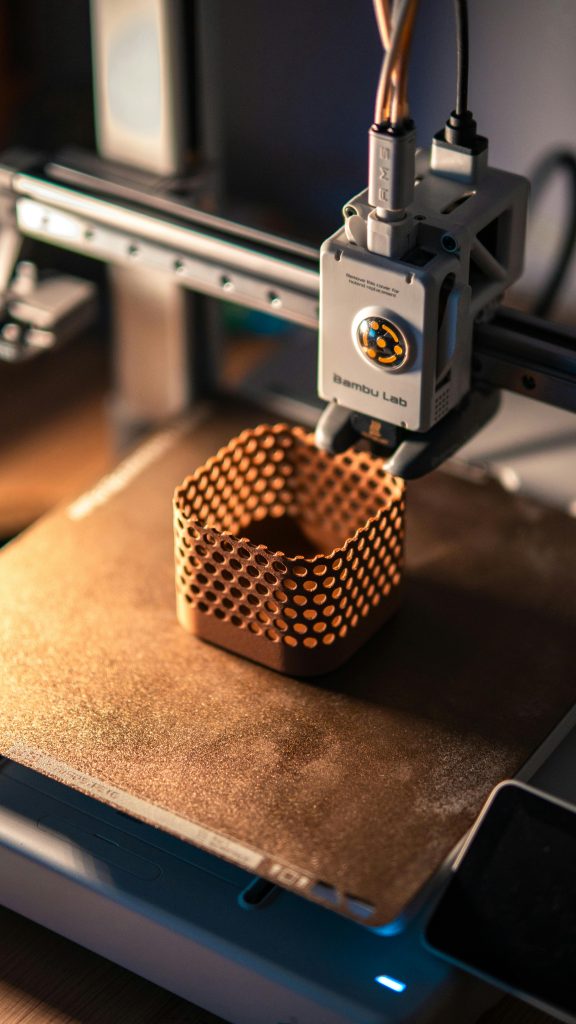
The most well-known process is fused deposition modelling, also known as FDM or FFF. This process involves the heating of the filament using a heated nozzle and laying the melted material on a flat surface with great precision. This brings the computer-generated design of an object into a physical object composed of multiple stacked layers.
In plain terms, the printer heats a plastic filament and lays it down layer by layer until the object is formed.
For small fashion brands, FDM is a good starting point because the machines are easier to access, materials are widely available for a good price, and the online community is active, so support and resources are easy to get. This type of 3D printing has been proven to work well for prototypes, trims, and rigid objects, like stamps and dies, and is often faster and easier to learn.
Some downsides to keep in mind are that FDM can be slow, depending on the printer you are using, and the layers can be visible in the final product. As with all processes, prints can fail, as can machines, and maintenance is a requirement, not an option. Nonetheless, FDM has one of the lowest barriers of entry.
Over the years, thanks to its advantages, the technology went from a topic discussed only in niche communities to a hobby accessible to millions of people right in their own homes. With this growth, the ecosystem around the technology also expanded to one rich in resources, information, printer accessories, and 3D model libraries. To date, some of the most popular sources of information for people starting up are as follows:
Search engine crawling billions of 3D CAD & BIM models for architecture, mechanical, and electrical engineering. It also offers features like search by image or turning images into 3D models.
Open-source free 3D computer graphics software which can be used to create 3Dd models, among other functionalities. Best used for organic models that do not need exact measurements.
A free-of-charge online 3D modelling program that runs in a web browser. Popular for creating simple and exact models for 3D printing, as well as an entry-level introduction to constructive solid geometry.
Free open-source program used to edit STL files. It has many mesh processing tools like analysis, cleaning of errors, remeshing, surface reconstruction, automatic smoothing and visual inspection.
All
MeshMixer
Paid software used for 3D printing engineering projects, mechanical parts, and doing product design.
All
*Note: Many creatives explore different Slicers and Model Markets to find their preferred mix of features.
Understanding your Core Printer Settings:
To ensure successful prints, makers need to pay attention to several settings and characteristics so that major errors can be avoided.
Setting
What it means
Why it matters for fashion products
Beginner tip
Nozzle temperature
The heat used to melt the filament before it is deposited.
If the temperature is too low, layers may not bond well. If it’s too high, the print can look messy, stringy, or soft.
For PLA, start around 210°C and adjust in small steps.
Bed temperature
The heat of the build plate where the object is printed.
Helps the first layer stick. Poor adhesion can cause failed prints or warped parts.
For PLA, start around 60°C. Make sure the bed is clean.
Layer height
The thickness of each printed layer.
Lower layers give smoother surfaces, which matters for visible accessories, trims, and jewellery. Higher layers print faster but look rougher.
Use 0.12–0.20 mm for visible fashion pieces. Use higher layers only for rough prototypes.
Nozzle diameter
The size of the nozzle opening.
A smaller nozzle gives finer details. A larger nozzle prints faster and can make stronger parts.
A 0.4 mm nozzle is the standard beginner choice.
Infill density
How full the inside of the print is.
Affects strength, weight, flexibility, material use, and print time.
Use lower infill for decorative pieces and higher infill for functional parts like buckles.
Supports
Temporary printed structures that hold overhanging areas.
Supports help complex shapes print correctly, but they use extra material and can leave rough marks.
Design parts to need fewer supports where possible.
Print speed
How fast the printer moves while printing.
Faster printing saves time but can reduce quality. Flexible materials often need slower speeds.
Start slower for small fashion details, especially TPU.
Build plate adhesion
Methods that help the first layer stick to the bed.
Essential for small parts, thin details, and flat trims. Poor adhesion often causes early failure.
Use a clean bed, correct bed temperature, and adhesion aids like glue stick or PEI if needed.
Print orientation
The direction the object is placed on the print bed.
Affects strength, surface finish, supports, and how visible the layer lines are.
Test different orientations for accessories and trims before final production.
Cooling fan
The fan that cools the printed material after extrusion.
Too much cooling can weaken layer bonding; too little can make details sag.
PLA usually needs cooling. TPU and stronger parts may need less cooling.
Choosing materials: PLA, TPU, and the rest of the alphabet soup
Materials matter. A lot. They dictate your printer settings and are what can make or break your design, not only from a looks perspective but also from the functionality and durability aspect.
In fashion, the wrong material can make a beautiful idea feel cheap, stiff, scratchy, fragile, or just plain awkward. You know that feeling when a lovely garment has one bad zipper? Same story here. The component may be small, but the customer feels it.
PLA: the friendly beginner material
PLA is usually the easiest material for first tests.
It is affordable, widely available, and comes in many colours and finishes. Its one of the easiest materials to print, with a standard nozzle temperature of around 210°C and a bed temperature of around 60°C. It also works well with surfaces such as painter’s tape, glue stick, glass plate, or PEI.
Common use cases for the material include buttons, rigid trims, jewellery prototypes, decorative samples, display pieces, shape tests and leather stamp prototypes.
But PLA has limits. It is stiff when cooled. It has poor impact resistance. It does not like heat, sun, or moisture. And for long-term use, PLA may need sanding, priming, or coating.
So yes, PLA is great for learning. But don’t assume it belongs on every final product. And especially for bigger surfaces, it needs to be broken down into smaller pieces to ensure the fabric can still bend and move.
TPU: the flexible friend for fashion
TPU is where things get more interesting for fashion.
It bends. It flexes. It can move with fabric better than rigid materials. In our research, TPU is highlighted as a strong option for textile applications because it can adhere better to fabric surfaces, especially with thermal post-treatment. It is suitable for raised patterns, soft trims, elastic structures, footwear surfaces, and even some sole components.
TPU shines when it comes to flexible embellishments, soft trims, footwear details, raised patterns, elastic decorative structures, and, in general, any components slightly larger in size that need to bend.
But TPU is not always beginner-friendly. It can be trickier to feed through the printer. It often needs slower print speeds and it should be kept dry. If you’re brand new, learn on PLA first, then move to TPU.
PETG, ABS, nylon, and specialty filaments
Once you’ve got the basics, you can explore other materials.
PETG is stronger than PLA and can be useful for more durable parts. ABS is tougher but harder to print and more prone to warping. Nylon can be strong and flexible, but it is more demanding. Wood-filled, metal-filled, recycled, or bio-based filaments can add interesting textures and sustainability angles, but they need testing before you make claims or sell products.
A simple material starting point:
For beginner prints and prototyping, start with PLA. If you have flexibility and have a printer that allows for it, you can try TPU. If you are looking for durability, PETG or nylon are the materials to consider. When it comes to high-detail accessories, resin, you might need to look into resin printing. If your focus is sustainability, there are many recycled and bio-based filaments.
While all the information can be overwhelming, you don’t have to learn this alone. That’s one of the nicest things about 3D printing. Check out any of the resources linked above or visit this Prusa Filament Material Guide for a more in-depth breakdown.
Note that while 3D FDM printing is relatively safe, it is still crucial to take all safety precautions and make sure you print in a well-ventilated area, and stick to each filament’s safety indications.
Where to start
The A to Z Printing Process
While the process can sound technical, it is often straightforward. Think of it a bit like building a garment from many fine layers instead of cutting it from one piece of fabric. The printer doesn’t make the whole object at once. It slowly builds it from the bottom up. For fashion companies, this process is useful because it allows you to test ideas quickly. You can print a button, a trim, a buckle, a small accessory, or a textile embellishment sample before committing to larger production.
Here’s how the process usually works.
1. Start with a digital 3D model
Every 3D print begins with a digital file.
This can be:
a model you design yourself;
a file downloaded from a 3D model platform;
a model created by a freelancer or designer;
a scan or modified version of an existing object.
For simple objects, such as buttons, tags, charms, or basic trims, beginner tools like TinkerCAD can be enough. This has a very low learning curve and makers can create prints within a few hours. TinkerCAD also provides training from scratch on it’s website for free, covering all basics necessary to get the first print started.
For more sculptural or organic forms, Blender may be more suitable. It offers many possibilities to creators and has a rich ecosystem and support network, with many training modules available for free and creators providing starting guides or YouTube tutorials.
For technical parts that need exact measurements, tools such as Fusion 360 or FreeCAD are often better.
For downloading models, creators can browse any of the open libraries or their printers ‘clouds/apps for inspiration. Printing the model can range from simply clicking on ready to print to multiple steps like downloading the model, getting it ready or fixing it and then hitting the ready button. Most common libraries can be found in the first table, as well as below, as follows:
At this stage, size matters. A lot. So always check the measurements.
A hole that looks large on screen may be too small for thread. A decorative detail may be too thin to print cleanly. A buckle may look elegant but snap under pressure. So before moving on, check the scale, wall thickness, attachment points, and overall shape. A good question to ask is: “Will this object work as a real fashion component, or does it only look good on screen?”
2. Prepare the file in the slicing software
Once the 3D model is ready, it needs to go into the slicing software.
The slicer is the bridge between the design and the printer. It cuts the model into many thin layers and turns it into instructions the printer can understand.
This is where you choose key settings we previously discussed, such as:
layer height;
nozzle temperature;
bed temperature;
print speed;
infill;
supports;
print orientation;
build plate adhesion.
You don’t need to master every setting on day one. But you do need to understand that these settings affect how the final piece looks, feels, and performs.
For example, a lower layer height can give a smoother surface, which is useful for jewellery, buttons, or visible trims. A higher infill can make a buckle or clasp stronger. A slower speed may help flexible materials print better. The slicer will also show you how long the print will take and how much material it will use. This is useful for planning, especially if you want to print several pieces for a collection sample.
3. Choose the right material
For first tests, PLA is often the easiest material to use. It is affordable, widely available, and prints well on many beginner 3D printers.
PLA is a good choice for:
buttons;
rigid trims;
accessory prototypes;
decorative objects;
mould or shape tests;
samples for visual approval.
But PLA is quite stiff. It is not the best option for soft, flexible, or highly wearable parts. So always make sure you check back to resources like the Prusa Filament Material Guide and decide what is best for which situation.
4. Prepare the printer
Before printing, the machine needs to be ready. This step is not glamorous, but it saves a lot of frustration.
So make sure to check that:
the build plate is clean;
the filament is loaded correctly;
the nozzle is not clogged;
the bed is level;
the correct material profile is selected;
the nozzle and bed temperatures match the material;
there is enough filament for the job.
The first layer is especially important. If the first layer does not stick properly, the rest of the print may fail. If this happens, you may see corners lifting, material dragging, or the whole piece moving around the bed.
For small fashion details, this can be annoying because the objects are often thin, light, or delicate. A clean bed, correct temperature, and good first-layer adhesion make a big difference.
5. Print one small test first
Here’s a simple rule: never print the full batch first. Print one piece. Just one. Then check it.
Does the size feel right? Are the holes large enough? Is the surface clean enough? Is the piece strong enough? Does it attach properly to fabric, leather, or hardware? Does it feel comfortable against the body?
This one small test can prevent a lot of wasted time and material. A print may look perfect in the slicer and still fail in real life. Maybe the detail is too fragile. Maybe the layer lines are too visible. Maybe the piece is too stiff for the garment. That’s normal. Testing is part of the process.
6. Watch out for common printing problems
3D printing is accessible, but it is not fully “press button, get perfect object.”
Prints can fail for many reasons, including:
poor bed levelling;
wrong nozzle temperature;
wrong bed temperature;
weak first-layer adhesion;
model errors;
too much or too little cooling;
poor support settings;
wet filament;
clogged nozzle;
unsuitable print orientation.
This may sound like a lot, but most beginner problems fall into a few familiar categories.
If the print does not stick, check the bed. If the layers split, check the temperature and cooling. If the object warps, check adhesion and temperature. If the surface looks rough, check layer height, speed, and material quality.
This is not so different from sewing. When a seam puckers, you don’t throw away the machine. You check the thread, needle, fabric tension, and stitch length. 3D printing has its own version of that. And since in the past decade the 3D printing community has grown significantly, and many resources are available to makers, companies or artists that are just starting their journey. Forums are a great place to reach out with questions or help requests when prints do fails. The community being so active guarantees tried and true fixes for almost any basic issue you may encounter in your journey.
A great troubleshooting guide to help with all the basic issues you might run into is the Simplify3D Print Quality Guide.
7. Remove, clean, and finish the print
Once the print is done, let it cool before removing it from the build plate. Pulling it off too soon can bend the part or damage the surface.
After removal, you may need to:
remove supports;
trim small strings;
sand rough edges;
clean holes or slots;
prime the surface;
paint or coat the piece;
test how it attaches to the final product.
FDM prints often show visible layer lines. For rough prototypes, that may not matter. But for customer-facing fashion pieces, it usually does, unless its an artistic choice. Small finishing steps can make a printed piece feel much more professional. Sanding a sharp edge, cleaning a buttonhole, or coating a visible accessory can change the whole impression.
If you are looking for a smooth finish, there are many resources available. For PLA, a good in-depth guide is the one offered by All3DP and Instructables. These provide plenty of methods and pictures of the results. Make sure to check the best methods for the filaments you plan on using.
8. Test it like a fashion product, not just a printed object
This is where fashion companies need to be stricter than hobby printers. A 3D printed piece is not finished just because the printer stopped.
Test it in context.
If it is a button, sew it onto fabric and pull it. If it is a trim, bend the garment. If it is a textile embellishment, rub it, fold it, and wash it. If it is a footwear part, test pressure and repeated movement. If it touches skin, check comfort and sharpness.
A beautiful print that cracks, scratches, detaches, or feels uncomfortable is not ready for use. The real test is not “Did it print?” The real test is “Does it work on the product?”
9. Record your settings
This step is easy to skip. Don’t skip it.
Keep a simple print log with:
material type;
filament brand;
nozzle temperature;
bed temperature;
layer height;
infill;
print speed;
supports used;
print time;
what worked;
what failed;
what to change next time.
A print log turns experiments into knowledge. Without notes, every test feels like starting from zero again.
For a fashion company, this matters because you need repeatable results. If a trim works beautifully once, you need to know how to make it again.
3D PRINTING ON TEXTILES
What Fashion Companies Need to Know
While the process can sound technical, it is often straightforward. Think of it a bit like building a garment from many fine layers instead of cutting it from one piece of fabric. The printer doesn’t make the whole object at once. It slowly builds it from the bottom up. For fashion companies, this process is useful because it allows you to test ideas quickly. You can print a button, a trim, a buckle, a small accessory, or a textile embellishment sample before committing to larger production.
Here’s how the process usually works.
Start with fabric swatches, not finished garments
Please don’t begin by placing your best jacket panel on the printer bed. Start with swatches.
Use small pieces of the same fabric you plan to use in production. Test one variable at a time. Try different filaments, temperatures, fabric types, and print shapes.
This keeps the risk low. If the print fails, you lose a swatch, not a garment. A good first test might be a small raised logo, a simple geometric motif, a flexible line pattern, a textured patch, a decorative edge detail or a small grip or reinforcement area.
Keep the design simple. Once you understand how the material behaves, you can get more ambitious.
Think about adhesion from the start
Adhesion comes first and foremost when it comes to textile printing. A printed motif that peels off after a few bends is not useful, no matter how good it looks in photos.
Adhesion depends on several things: fabric type, filament type, nozzle temperature, first-layer height, print speed, surface texture, heat after printing and printing pressure, as well as washing and wear conditions.
Take your use case into account when deciding on these factors and make sure to keep track of the outcomes from your experiments along the way.
Fabric choice changes everything
Not all fabrics behave the same under a 3D printer.
Some fabrics allow the melted filament to grip into the weave. Others resist it. Smooth or coated fabrics can be harder. Open meshes may allow better mechanical grip, but they also bring their own design limits.
A rough rule is that the more the material can physically grip the fabric structure, the better the chance of adhesion. But always test.
A dense cotton behaves differently from mesh. Denim behaves differently from polyester. Felt behaves differently from leather. Stretch fabric adds another challenge because the printed material may not stretch in the same way.
Important considerations when printing on fabric include fabric construction and fibre content. For 3D printing, the preferred materials are synthetic ones, which tend to semi-melt in between the layers. Here it is best to use polyester, nylon and acrylic.
In terms of construction, the best fabrics tend to be lightweight open knits and weaves. These allow the plastic to sandwich the fabric and bond to each other through holes in the fabric. The tried and tested fabrics are:
Tulle: due to its delicacy, it is not suited to applications that require a lot of strength (such as clothing), but it’s great for appliques and items that won’t see too much wear. Net: Net is courser and a bit stronger than tulle, while still remaining relatively invisible in the right circumstances. You can get away with it as a construction fabric in clothing. It has a hexagon pattern, won’t fray, usually comes quite stiff and can be washed to soften Organza: plain-woven fabric that’s papery and stiff. It’s a lot stronger than tulle or net, and will stand up to wear as clothing, but will fray, so any edges will need seam allowances.
Tried and tested is not the end. If you can, using swatches from different materials is key to discovering what works for you and your collection.
3D PRINTING ON TEXTILES
Direct printing onto fabric: The Key Idea
When printing directly onto fabric, the fabric is usually placed on the build plate, and the printer deposits material onto it.That sounds simple. In practice, there are a few things to manage.
The fabric must lie flat.
It must not move during printing.
The nozzle height must be suitable.
The first layer must bond with the textile surface.
The fabric must tolerate the heat.
The design must work with the fabric’s movement.
If the fabric shifts, the print can smear or misalign. If the nozzle is too close, it may drag across the textile. If it is too far away, the filament may sit on top without bonding properly. There are several examples of this method and step-by-step pictures created by incredible experts here, here and here.
Some experiments have been conducted by the 3D Community using cotton fabric in 3D FDM printing. This was done by cutting holes in the fabric in the area where the maker prints their shape, with moderate success. The full extent of the experiment can be accessed here.
A good place to start is using simple designs. This can mean bold shapes, medium-thick lines, small motifs with simple shapes, repeated patterns, raised dots and so on.
Very thin lines may peel. Large solid areas may make the fabric stiff. Sharp edges may feel uncomfortable. Heavy printed zones may pull the fabric down or change how it hangs.
In fashion terms, the print should respect the drape. That’s a nice phrase, but it’s also practical. If a printed surface ruins the movement of the fabric, the design probably needs to change.
3D PRINTING ON TEXTILES
Printing Fabric
For more complex projects, TPU can be used to print fabrics, which can then be melted together to form a flexible mesh-like fabric. The following can be achieved:
Chainmail (uses PLA): flexible, fully 3D printed Material. Access Model. Dragon Scale Fabric (uses PLA): flexible 3D printed material. Access Model. Chain Fabric (uses PLA): very flexible, fully 3D printed Material. Access Model. Crocodile Pattern (can use PLA): semi-flexible model printed on fabric. Access Model. Rhombus Pattern (can use PLA): semi-flexible model printed on fabric. Access Model. Stripe Hexa Pattern (can use PLA): semi-flexible model printed on fabric. Access Model. Flexible Fabric (uses TPU): flexible material 3D Printed.Access Tutorial. 3D Printed Lace (uses TPU): flexible addon, 3D Printed. Access Tutorial.
Additional Methods to attach your print to fabrics:
Iron-on print: This method involves printing with TPU in a thin layer and ironing ht print on the cotton material using an iron. Similar method is presented in the link, allowing makers to print straight on the shirt. (https://all3dp.com/2/3d-printed-shirt-tutorial/) Attach a pin to the print: a regular metal pin can be attached to the print using binding agents to pin the model to the fabric. Example. Attach the model using magnets: the space for the magnets would need to be incorporated in the design. Superglue or other binding adhesives: this method works well with PLA, but may change the feel of the fabric. Sew on Mode printed on Tulle. Attach brooch badge:Example.
After you finish you prints, a new job starts: that of testing your outcomes, to ensure your product will compete not only on looks, but also feel and durability.
Test movement, not just appearance
A textile print needs to survive real use. After printing, test the sample by hand. Bend it, fold it, stretch it, rub the surface, test what scratches it, pull the corners and overall just move it in a way as close to how the garment is intended to.
You are looking to understand what the peel strength of the pieces is, how flexible it is, how resistant it is to abrasion, washing and heat. Furthermore, you need to make sure that it is comfortable and it will last over time, not only in terms of structure, but also in terms of looks, like colour.
This might sound like a lot for a small motif. But if the product will be sold, worn, cleaned, and moved in, the testing is part of the design process.
A print that survives a flat table is not the same as a print that survives a sleeve, shoe, bag, or waistband.
Washing is where weak points first show themselves
Washing can be brutal.
Water, heat, detergent, spinning, friction, it all tests the bond between print and textile. A detail may survive one wash and fail after five. A motif may stay attached but become stiff, crack or the layers might come apart.
So if the final product will be washable, test washing early.
Use the same conditions the customer is likely to use, or stricter ones if needed. Record what happens. Does the print lift? Does it crack? Does the fabric shrink away from it? Does the colour change? Does the hand feel worse?
Honestly, this is where many pretty samples become “nice experiment, not ready yet.” And that’s fine. Better to learn that in the studio than after a customer buys it.
Printing on textiles works best when it has a clear purpose
A 3D printed textile detail is more than a novelty; it should do something for the product, either in terms of functionality or in terms of sustainability or design.
It might add a brand motif, create texture, reinforce an area, replace a trim, add grip, create a flexible structure, personalise a product, or support a limited-edition capsule.
Printing just because it looks futuristic can feel gimmicky. Print because it adds function, identity, or craft value, and feels stronger. Always ask yourself whether 3D printing truly adds value to your piece, or if traditional materials or accessories could be better. And never forget to do a thorough cost-benefit analysis of the 3D prints versus the traditional methods.
For small brands, this is where 3D printing becomes exciting. You can create details that are local, custom, and hard to copy. If you have a small number of pieces with high variability, it might be a great advantage since it shines on a small scale. You can test a motif without ordering hundreds of trims. You can make one-off pieces without building a whole supply chain around them. You can create dies for leather pieces or unique stamps. When it comes to ideas, the sky is the limit. Wht matters is what works for your brand.
The main takeaway
Treat 3D printing as material research
3D printing on textiles is not just decoration. It is material research. It’s all about creativity and trial and error.
You are testing the relationship between filament, heat, fabric, movement, and use. Sometimes the result will be beautiful. Sometimes it will peel off. Sometimes the print will stick perfectly but make the fabric too stiff. Sometimes a small change in temperature, line thickness, or fabric choice will fix the problem.
That’s the nature of it.Start with swatches. Use flexible materials. Keep designs simple at first. Test adhesion, movement, washing, and comfort. Then build from there.
For small fashion companies, 3D printing works best as a practical design and prototyping tool. Start with one use case. Use accessible software. Test materials carefully. Record your settings. Improve the result. Then decide whether it deserves a place in your production process. One small print. One useful lesson. Then the next.
The research puts it well: companies should start small, learn quickly, standardise what works, and scale only where value is proven.